Software & shows
Everything you need to run a show
Every Discovery Dome system arrives with planetarium software installed and a library of free fulldome shows, so you can run your first session on day one: live sky tours, pre-recorded shows, games and 360° video, all from one laptop.

MediaShow: your show control centre

MediaShow is the playback and content-management software that runs every Discovery Dome. It grew out of a NASA-funded education project with Rice University and is now developed by ePlanetarium. Instead of hunting through folders, operators build buttons that each launch a video, image, slideshow or program, then save them as button sets: one for school groups, one for public shows, one for each language or presenter.
Plays what you have
AVI, MP2, MP4 and MOV (H.264) video, still images that can be sized and rotated, and image sequences with synchronised audio.
Subtitles in any language
Load external SRT subtitle files in any Unicode language, and choose size and position per clip.
Live software on a button
Buttons can launch Stellarium or OpenSpace, then drop MediaShow into the background.
Widescreen on a mirror dome
Resize ordinary widescreen video and images so they display neatly on a mirror system.
- MediaShow Pro, the full windowed version, is ideal for dual-screen set-ups and preparing shows. MediaShow Mirror is a slim control strip across the top of the screen for live playback on mirror systems.
- Runs on Windows 10 and 11, and on macOS up to 10.14. Mouse or touchscreen, with tooltips and a full PDF reference manual.
- Included with every Discovery Dome package; extra licences: MediaShow Pro US$700, MediaShow Mirror US$150.
Fishtank: games, 360° video and fisheye content
Fishtank is multipurpose playback software designed for mirror domes. It plays pre-warped shows, any fisheye movie and full-sphere 360° VR video, where the audience chooses which half of the sphere to explore. Plug in an Xbox-style controller and the dome becomes a giant games arena, with titles such as Capture the Flag, Asteroid Shoot and Tilt!, plus flying, driving and robot experiences. It runs on Windows and macOS.
Live sky and universe software
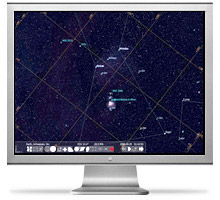
Stellarium
A photo-realistic live night sky from any place and date: constellations, planets, eclipses and the southern sky. Included free.
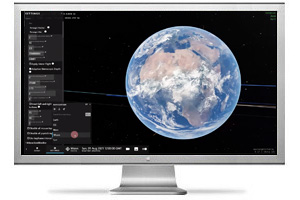
OpenSpace
Open-source software for visualising the known universe, from Mars flyovers to galaxy maps, with Discovery Dome content made for portable domes.

Mediawarp 3D & Marquee
Mediawarp 3D adds stereo 3D shows (US$995). Marquee supports fixed planetariums (US$200).
Fulldome shows
Your system comes with a bundle of free fulldome shows, covering topics from eclipses and exoplanets to the Sun, galaxies and dark matter. Titles include Totality!, Apollo and Beyond, Impact Earth, Audio Universe, Distant Worlds: Alien Life, Dark Matter Mystery, Incredible Sun, Exoplanets, Galaxies and Cosmology. Many more shows, including 4K titles from other producers, can be licensed.
Shows in your language: ePlanetarium shows are available with subtitles or translations including Arabic, Chinese, Czech, French, German, Hebrew, Hindi, Italian, Korean, Lithuanian, Norwegian, Polish, Portuguese, Romanian, Russian, Slovak, Spanish, Tamil, Telugu, Thai and Turkish.
Training included
Free live online training covers MediaShow, Stellarium, OpenSpace and Fishtank, and on-site installation includes hands-on training for your team. See Support & training.


Frequently asked questions
Which software comes with a Discovery Dome?
MediaShow and Stellarium come installed, with Fishtank on new systems, plus a bundle of free fulldome shows.
Does MediaShow run on a Mac?
Yes, up to macOS 10.14. Newer macOS versions do not support its 32-bit components, so Windows 10 or 11 is recommended for new systems.
Can I add subtitles to shows?
Yes. MediaShow loads external SRT subtitle files in any Unicode language.
Can I play games in the dome?
Yes. Fishtank runs fulldome games with an Xbox-style controller, plus 360° VR video.
Can I show my own videos?
Yes. Fulldome or fisheye files play directly, and ordinary widescreen video can be resized for the dome.
Related: Projection systems · Support & training · Gallery
Immersive Experiences Group