Resources · Content editing
Content editing for your dome
Play our shows, your own films or a live sky: this guide explains fulldome formats, warping and the software that runs a Discovery Dome, and how we can edit, warp or create content for you.

Fulldome formats in plain English
Dome content comes in a few shapes. Knowing which one you have tells you how it will play.
Domemaster (fisheye)
A circle inside a square frame, the standard format for fulldome shows. Typical sizes are 2K (2048 x 2048) and 4K (4096 x 4096).
Pre-warped
Domemaster already distorted for a mirror system. It plays in any video player with the best quality and frame rate.
360° video
Equirectangular footage from a 360 camera. Fishtank converts it to fill the dome live.
Flat video and slides
Normal films, presentations and images. MediaShow places them within the dome view.
Mirror or fisheye: what it means for your files
| Mirror (Newtonian-3, Go-Frame) | Fisheye lens | |
| How it projects | From the back of the dome onto a spherical mirror, so the whole floor can be used for seating | Upwards from the centre, with seating in a circle |
| Your files | Pre-warped plays directly; domemaster, 360° and flat video are warped live | Domemaster plays directly with no warping |
| Projector pixels used | Over 70% | About 44% with a standard 1080 circle (more with a truncated fisheye) |
| Things to know | The back 5–10% of the dome is a shadow zone; a quick mirror alignment keeps the back sharp | Sharpest overhead; some softening near the horizon |
| Cost | Lower, and standard projectors are easy to replace locally | The best fisheye lenses are expensive |
Warping explained
Warping pre-distorts the dome image so that, after reflecting off the spherical mirror, it fills the dome evenly. A warping mesh maps the fisheye image to your mirror and dome, and dims the image slightly towards the back for even brightness. The technique was invented by Paul Bourke.
Every ePlanetarium show is available pre-warped or as fisheye. For your own content you can warp live with Fishtank or VLC Warper, or send it to us to pre-warp. Unusual dome sizes need a custom mesh, which we can make for you.
Your software toolkit

MediaShow Pro
Plays pre-warped shows with button controls, show sequencing and subtitles, and handles flat video on a mirror system.
Fishtank
Warps fisheye, flat and 360° video live, and turns 360-camera footage into dome content.
VLC Warper
Free real-time warping of fisheye video on Mac or Windows, with custom meshes.
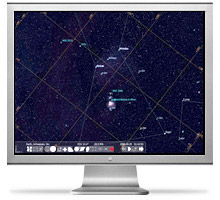
Stellarium
Free planetarium software for live night-sky tours, preloaded on every system.
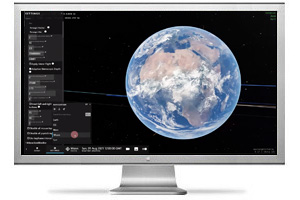
OpenSpace
Fly through the solar system, galaxy and universe live in front of your audience.
MeshMapper
Creates custom warping meshes for unusual domes and mirror positions.
Making or editing your own content
- 1
Plan for the dome
Keep the main action in front of the audience, just above the horizon, and away from the back of the dome. Use slow, steady camera moves to keep viewers comfortable.
- 2
Make text big and simple
Place titles and subtitles in the front view at a large size; fine detail is lost on a curved screen.
- 3
Export a domemaster
Render a square fisheye frame (2K or 4K) as MP4. Keep a 360° or flat version if that is your source.
- 4
Warp and test
Warp live with Fishtank or VLC Warper, or ask us to pre-warp. Always preview in the dome before your audience arrives.
Content editing services
Short on time or want a polished result? We can do the editing for you, quoted to your brief:
Warping to your dome
Pre-warped files and custom meshes for any dome size and mirror position.
Subtitles and languages
Subtitle files and language versions, with many shows already available in several languages.
Edits and branding
Trim shows to your session length, sequence playlists, and add your logo, intro or sponsor slides.
Your footage in the dome
Turn 360° camera footage, events or presentations into dome-ready content.
Bespoke shows
Custom fulldome shows for museums, brands and events, from script to final render.

Frequently asked questions
What file format should I make for a dome?
Export a square domemaster frame, a fisheye circle filling a square video such as 2048 x 2048 (2K) or 4096 x 4096 (4K), as an MP4. A Discovery Dome mirror system can warp it live with Fishtank or VLC Warper, or we can pre-warp it for the best quality.
Can I show normal flat videos and slides in the dome?
Yes. MediaShow can place flat video and images within the dome image, and on a mirror system you can also move the secondary mirror to show a regular film.
What is a pre-warped file?
A video already distorted to bounce off the projection mirror and fill the dome. It plays in any simple video player, usually at higher quality and frame rate than warping live.
Can you add subtitles or a different language to a show?
Yes. MediaShow plays shows with subtitles, and many shows are available in several languages. Ask us about subtitles or a voice-over in your language.
Can you make a custom show or edit my footage?
Yes. We can warp your content to your dome, trim and sequence shows, add your logo and intro, turn 360° camera footage into dome content, or produce a bespoke show. Each job is quoted to your brief.
Need content edited or made for your dome?
Tell us what you have and where it will play, and we will come back with options and a quote.